Microsoft Disables Predictive Text by Default in Word and Outlook
Microsoft has turned off text predictions by default in Word and Outlook. Users can still re-enable the feature manually in settings.
Microsoft has decided to set text predictions to off by default in Word and Outlook, allowing users to decide for themselves if they want to receive suggestions as they type, as stated in a Microsoft announcement.
The feature is not being abolished, merely disabled by default, so people who use predictive text can still turn it on themselves. The change applies to Word for Windows, the web version, Android, and iOS, as well as classic Outlook for Windows and Outlook for Mac.
Microsoft says it is doing so in order to give users a choice and to ensure a more consistent experience across its apps.
Microsoft Word and Outlook Text Prediction Changes
Text predictions can be used to help with the writing of documents and emails by suggesting words and phrases as you type. With this update, the feature will no longer be turned on by default but will still be available to people who wish to use it.
Microsoft says its objective is to offer a more consistent and user-controlled experience when writing across Microsoft 365 applications, ensuring that predictive text remains available to people who find it useful while reducing unwanted interruptions for those who prefer to write without automatic suggestions.
Users who want predictive text can re-enable it manually:
- Open Word or Outlook on a computer or phone.
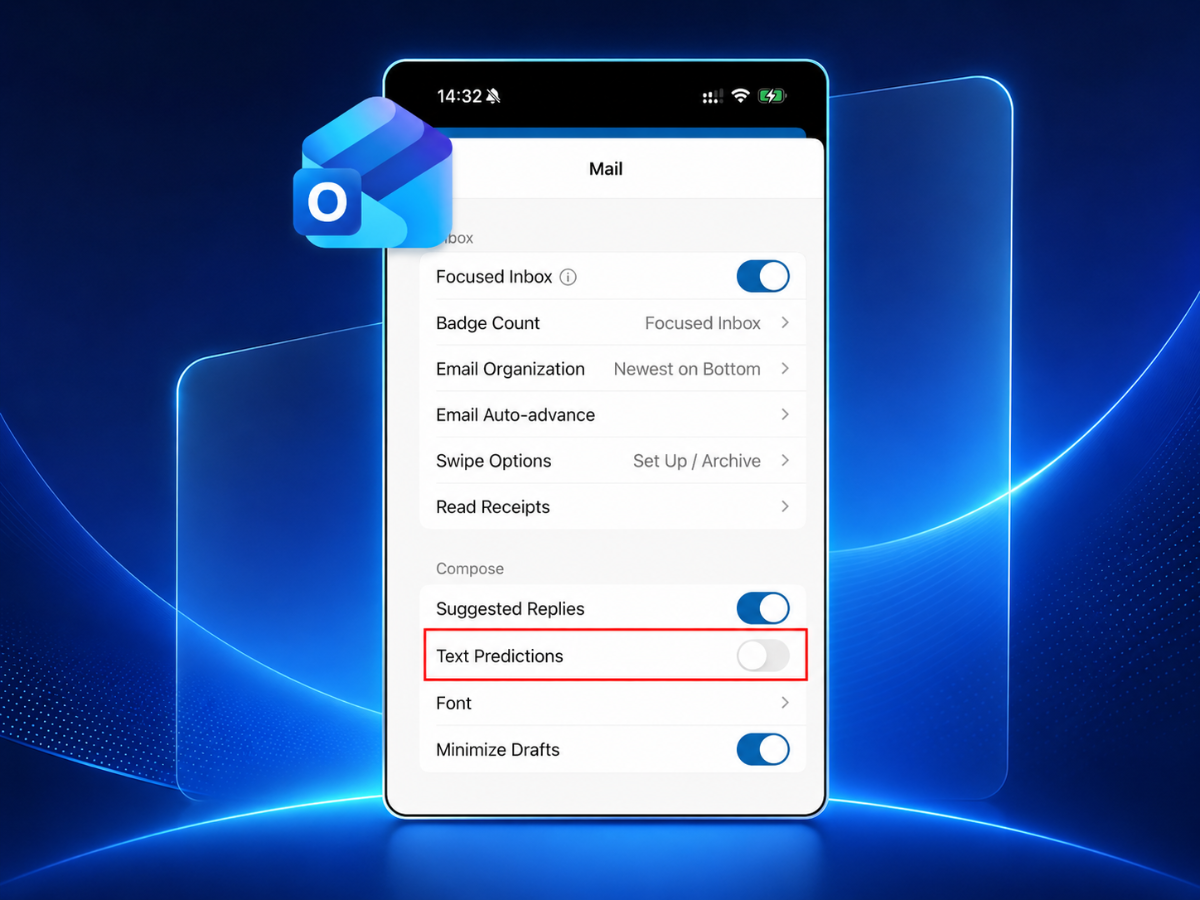
- In Settings, Text Predictions is initially switched off.
- You can turn it on by checking the box or using the toggle.
Word and Outlook Apps Affected by the Text Prediction Change
The change applies to Word for the web as well as the versions of the app for Windows, Android, and iOS. It also applies to Outlook for Mac and the classic version of Outlook for Windows.
The exact rollout date has not been announced, nor has Microsoft confirmed whether all users will receive the change at the same time. Microsoft has not provided a detailed explanation of its reasons beyond citing user choice and consistency, though the feature remains available to anyone who wants to keep predictive text turned on.